Article /
Cloudflare Tunnel + Zero Trust Stable SSH Access for Netcup VPS
An "outbound tunnel + edge authentication" access path for the case where `sshd` is healthy but the cross-border route is unstable
The German VPS had a healthy sshd, but the cross-border route was unstable and direct connections to port 22 got no response. The troubleshooting signals were:
- VNC worked, so the machine itself was still reachable
- The SSH service was active and port
22was listening, so the service itself was not down - UFW was not blocking, yet connections still dropped frequently, so the problem was not the host firewall
preauth resetkept appearing, which meant the connection was being reset before authentication
The final solution was: when there was no stable relay node available, deploy cloudflared on the server, map ssh-de.condevtools.com to localhost:22 through a Tunnel, and use cloudflared access ssh locally. This stops SSH from depending on a direct connection to port 22 and gives better stability and control.
I. Confirm the Current State
The provider's VNC was accessible, the SSH service was active, port 22 was listening normally, and the logs contained Connection reset by peer [preauth].
systemctl status ssh
ss -tlnp | grep sshd
ufw status    # 或 iptables -S / nft list ruleset
journalctl -u ssh -n 100 --no-pager
Checklist:
systemctl status sshconfirms whether the SSH service is running.Active: active (running)means it is up.ss -tlnp | grep sshdconfirms the listening port. If there is output, SSH is listening normally.ufw statuschecks whether the system firewall is blocking SSH.inactivemeans it is not blocking.journalctl -u ssh -n 100 --no-pagerchecks authentication and connection logs.Connection reset by peer [preauth]means the connection reached the server but was reset before authentication, which usually points to a route problem.
Conclusion: service OK, port OK, firewall not blocking, but the logs kept showing preauth reset. This should be treated as a network path problem first, not an SSH configuration failure.
II. Access Options
1) Use a relay VPS
SSH to a Hong Kong VPS first, then connect from there to the Germany VPS; or run WebSSH on the Hong Kong VPS. This can bypass part of the cross-border problem, but it adds another machine cost and another operations point.
# ~/.ssh/config
Host hk
  HostName 香港机IP
  User your_user
  Port 22
  IdentityFile ~/.ssh/id_rsa

Host de-via-hk
  HostName 德国机IP
  User your_user
  Port 22
  ProxyJump hk
  IdentityFile ~/.ssh/id_rsa
ssh de-via-hk
You can also refer to this guide: Use a relay VPS.
2) sshx as an emergency web terminal
You can install and run sshx on the server through VNC, then open the generated link in a local browser.
curl -sSf https://sshx.io/get | sh
sshx
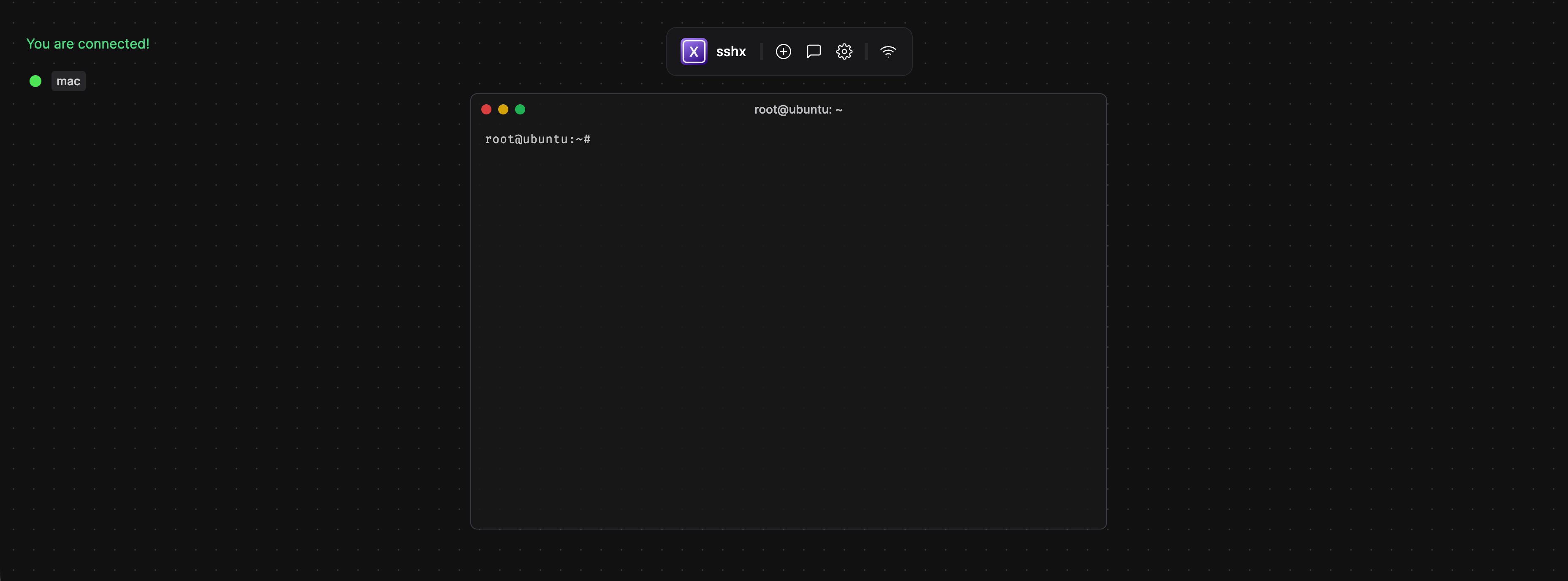
In practice the session could still break, and I often had to reopen VNC before it recovered. It is not a good long-term entry point.
3) Cloudflare Tunnel + Zero Trust
Cloudflare Tunnel is a reverse tunnel initiated by the origin: after cloudflared runs on the server, it actively connects to the Cloudflare edge and forwards traffic for the specified domain to a local service.
It usually solves three problems:
- Unstable cross-border direct connections
- Ports affected by ISP or network policy
- The security risk of exposing SSH on a public port
It can be summarized as "outbound tunnel + edge authentication + origin forwarding". Cloudflare Tunnel is the service itself, and cloudflared is the official client; the former defines the capability, the latter builds the tunnel, initiates the connection, and forwards the traffic.
III. Tunnel on the Server
1) Install cloudflared
sudo apt-get update
sudo apt-get install -y cloudflared
cloudflared --version
2) Log in to Cloudflare and generate cert.pem
cloudflared tunnel login
ls -l /root/.cloudflared/cert.pem
3) Create a Tunnel and bind the SSH subdomain
cloudflared tunnel create de-ssh
cloudflared tunnel list
cloudflared tunnel route dns de-ssh ssh-de.condevtools.com
4) Generate the config file
TUNNEL_ID=$(cloudflared tunnel list | awk '$2=="de-ssh"{print $1}')

cat >/root/.cloudflared/config.yml <<EOF
tunnel: ${TUNNEL_ID}
credentials-file: /root/.cloudflared/${TUNNEL_ID}.json
ingress:
  - hostname: ssh-de.condevtools.com
    service: ssh://localhost:22
  - service: http_status:404
EOF

cat /root/.cloudflared/config.yml
cloudflared tunnel ingress validate
5) Validate in the foreground
cloudflared tunnel run de-ssh
Validate in the foreground first, then install it as a system service. That avoids carrying mistakes straight into boot-time startup.
6) Install as a systemd service and enable on boot
cloudflared service install
systemctl daemon-reload
systemctl enable --now cloudflared
systemctl status cloudflared --no-pager -l
IV. Zero Trust Access
cloudflared tunnel exposes the SSH service to Cloudflare edge; Zero Trust Access handles authentication. Without Access, the public hostname can still be probed by anyone.
Workflow:
- Run
ssh, whereProxyCommandcalls localcloudflared access ssh --hostname ... - Local
cloudflaredopens the browser for login - Cloudflare Access evaluates the policy
- Only users matched by an Allow policy get an access token
- Once allowed, traffic enters the Tunnel and forwards to origin
localhost:22
Configuration steps:
Zero Trust -> Access -> Applications -> Add application -> Self-hosted- Set
Domaintossh-de.condevtools.com - Set
Policyto allow only your own email or account, and enable MFA
This method is a better fit for long-term operations and unstable cross-border access.
V. Local Access
1) Install the client
brew install cloudflared
cloudflared --version
2) Direct connection test
ssh -o "ProxyCommand=$(which cloudflared) access ssh --hostname %h" [email protected]
3) Optional: write to ~/.ssh/config
Host de-cf
  HostName ssh-de.condevtools.com
  User root
  ProxyCommand /opt/homebrew/bin/cloudflared access ssh --hostname %h
ssh de-cf
When the route is unstable, changing the access method is usually more effective than restarting sshd over and over.